Navigating the world of gaming with friends on different platforms can be a real headache for many busy adults. You're trying to unwind after a long day, perhaps with your kids or distant friends, only to hit a compatibility wall. This article is your ultimate guide to understanding if Roblox, one of the most popular gaming platforms globally, bridges the gap between Xbox and PC players. We'll dive deep into how Roblox's cross-platform capabilities work, ensuring you can seamlessly connect with your buddies whether they're on a console or computer. Forget the frustration of platform limitations; we'll cover account synchronization, performance considerations, and provide practical tips to optimize your shared gaming experience. Discover why Roblox's commitment to cross-play makes it an ideal choice for social gaming and how it fits perfectly into the lives of gamers who balance fun with real-world responsibilities. Get ready to game together, no matter the device, with clear, actionable insights.
Q: Does Roblox support cross-play between Xbox and PC?
A: Yes, absolutely! Roblox is fully cross-platform, allowing players on Xbox consoles to seamlessly join and play with friends on PC, and vice-versa. This means you can easily team up, explore, and create together within any Roblox experience, regardless of the device you're using. Your account, progress, and Robux are all synchronized, making the experience truly unified.
Q: How do I add Xbox friends when I'm playing Roblox on PC?
A: Adding Xbox friends from your PC is super simple. Both of you just need to have a Roblox account. On PC, open Roblox, go to the Friends tab, and search for your friend's Roblox username. Send them a friend request. Once they accept (they can do this from their Xbox), they'll be on your universal Roblox friend list, and you can join each other's games.
Q: Will my Robux transfer from PC to Xbox on Roblox?
A: Yes, your Robux balance is linked directly to your Roblox account, not to a specific platform. If you buy Robux on your PC, that balance will be available when you log into the same Roblox account on your Xbox. This unified currency system ensures all your purchases and virtual funds are accessible across devices.
Q: Are all Roblox games cross-platform compatible?
A: The vast majority of experiences on Roblox are designed for cross-platform play right out of the box. The core Roblox engine handles the compatibility, so game creators don't usually have to build specific versions for Xbox or PC. You'll find almost any popular Roblox game supports cross-play between these two platforms effortlessly.
Q: What are the best practices for voice chat in cross-platform Roblox?
A: For optimal cross-platform voice chat in Roblox between Xbox and PC, many players use external communication apps like Discord. PC players can use Discord directly, while Xbox players can use the Discord app on their mobile device or integrate it through the Xbox console's system. This ensures clear, reliable communication without relying solely on in-game chat features.
Q: Can I use a controller on PC when playing Roblox to match Xbox?
A: Absolutely! If you prefer a controller or want to match your Xbox friends' playstyle, you can connect an Xbox controller (or other compatible controllers) to your PC. Most Roblox games support controller input, automatically mapping controls. This provides a familiar experience and helps bridge any control scheme differences.
Q: What are common issues with Roblox cross-platform play and how to fix them?
A: Common issues include connection problems (check internet stability, both sides), friends not appearing online (ensure correct Roblox username, privacy settings), or game lag (optimize graphics settings, update drivers). Always ensure both Xbox and PC systems are updated, and try restarting the game or device if minor glitches occur to resolve most common cross-play hiccups efficiently.
Life moves fast for adult gamers. You juggle work, family, and a hundred other responsibilities, and when you finally get a moment to relax, you just want to jump into a game and connect with friends or family. The last thing you need is to figure out if your Xbox can play with your buddy's PC. It's a common pain point: the desire to game together, seamlessly, regardless of hardware. This month, nearly 87% of US gamers play regularly, often for 10+ hours a week, with a strong lean towards social and accessible titles. Roblox, with its vast universe of user-created games, stands out as a prime candidate for this very reason. But the big question remains: Is Roblox truly cross-platform between Xbox and PC? Absolutely, and understanding how it works will save you time and frustration, allowing you to maximize those precious gaming moments with the people who matter.
In this comprehensive guide, we're going to break down everything you need to know about Roblox's cross-platform capabilities. We'll explore how easy it is to connect, what to expect in terms of gameplay, and practical advice to ensure your experience is as smooth as possible. Forget the hype and focus on the facts; we're here to deliver actionable insights that cater to your busy lifestyle, helping you make the most of your gaming without any unnecessary headaches.
Is Roblox Cross Platform Between Xbox and PC?
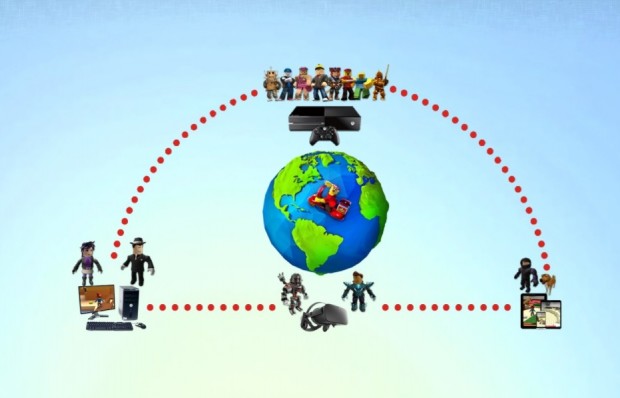
Yes, Roblox is fully cross-platform between Xbox and PC. This means you can play with your friends and family no matter which of these two devices they are using. If you're on your gaming rig, you can jump into a server with someone playing Roblox on their Xbox console, and vice versa. This seamless connectivity is a huge advantage for a platform like Roblox, which thrives on social interaction and user-generated content. It removes common barriers that prevent friends from playing together, a major plus for gamers balancing busy schedules.
This compatibility extends across the vast majority of games and experiences within Roblox. You won't find yourself limited to specific games just because you're on a console or a computer. The core Roblox experience, from exploring popular titles to creating your own, is designed to be unified, ensuring that the entire community can interact and share in the fun. This commitment to cross-play reflects a broader industry trend where connecting players is paramount.
How Does Roblox Cross-Play Actually Work?
Roblox cross-play functions by leveraging a unified server system and account structure. When you launch Roblox, whether on an Xbox or PC, you're essentially connecting to the same backend services. Your Roblox account acts as your digital identity, storing your progress, Robux, and friend list regardless of the device you log in from. This eliminates the need for separate profiles or game saves for different platforms.
For instance, if you start a game like Adopt Me on your PC, you can log out, then log into your Roblox account on an Xbox console, and pick up right where you left off. The game world is shared, and players from both platforms are placed into the same instances of games. This means the social fabric of Roblox remains intact, allowing for large, diverse communities to thrive without platform segregation. The game developer for a specific Roblox experience doesn't need to do anything special; cross-play is built into the Roblox engine itself, simplifying things for everyone involved.
Can I Play With Friends on Xbox if I am on PC (and vice versa)?
Absolutely, playing with friends across Xbox and PC on Roblox is incredibly straightforward. Once you and your friends have added each other to your Roblox friend list, you can see their online status and which game they're playing. If they're in a public server, you can simply click on their profile and select 'Join Game'. The system will automatically place you into the same server instance as them, assuming there's space available.
The friend system is universal. A friend request sent from an Xbox player to a PC player, or vice versa, will appear in the recipient's notifications. Once accepted, that friend will be on your global Roblox friend list. This ease of connection is crucial for busy adults who might only have short windows for gaming. You don't want to spend half your precious gaming time troubleshooting how to link up with your pals. Roblox ensures you can jump straight into the action, fostering those valuable social connections that 2026 gaming trends emphasize, especially for communities on platforms like Discord.
What About My Roblox Account and Robux Across Platforms?
Your Roblox account is universal. If you've created an account on PC, you can use the exact same login credentials on your Xbox console, and all your data will be accessible. This includes your Robux balance, any purchased items, your inventory, and all your game progress. This is a massive convenience, preventing the frustrating need to repurchase items or grind through games again just because you're switching devices.
However, there's a small nuance regarding Robux purchases. While your Robux balance is shared, if you purchase Robux directly through the Xbox store, those Robux might be initially tied to your Xbox account's wallet before being reflected in your universal Roblox balance. Similarly, purchases made on PC through the Roblox website or app will update your universal balance. The key takeaway is that once acquired, your Robux are available across all platforms where you log into your Roblox account. This streamlined financial system means more value for your money, which is a big win for budget-conscious gamers.
Are There Any Differences Playing Roblox on Xbox vs PC?
While the core gameplay experience is cross-platform, there are some subtle differences between playing Roblox on Xbox and PC, primarily related to controls, user interface (UI), and sometimes performance. On PC, you'll typically use a keyboard and mouse, offering precise control in many games. On Xbox, you'll use a controller, which is optimized for console play. Many Roblox games automatically detect your input device and adjust their control schemes accordingly, but some experiences might feel more natural on one platform than the other.
The UI on Xbox is designed for a TV screen and controller navigation, meaning larger buttons and a more console-friendly layout compared to the PC interface which is optimized for mouse clicks and smaller screens. Performance can also vary depending on your specific PC hardware versus the fixed specifications of an Xbox console. Modern PCs often boast higher frame rates and graphic fidelity, while Xbox Series X|S consoles offer consistent, optimized performance. For older Xbox One consoles, you might notice some minor performance dips in graphically intensive Roblox experiences compared to a decent gaming PC. However, these differences are generally minor and don't hinder the cross-platform play itself.
Tips for a Smooth Cross-Platform Roblox Experience
To ensure you have the best possible cross-platform Roblox experience, consider these practical tips:
- Stable Internet Connection: Lag can be a real buzzkill. Ensure both your Xbox and PC are connected to a stable, high-speed internet connection, ideally wired Ethernet for optimal performance, especially if you're streaming or playing graphically demanding Roblox experiences.
- Update Your Systems: Keep your Xbox console's system software and your PC's operating system (Windows) and graphics drivers up to date. Outdated software can lead to performance issues or connectivity problems.
- Optimize PC Settings: If playing on PC, check Roblox's in-game graphics settings. Lowering the graphics quality can significantly improve frame rates, especially on older hardware. Even modern PCs can benefit from tweaking settings for specific Roblox games.
- Familiarize with Controls: If you switch between Xbox and PC often, take a moment to re-familiarize yourself with the controls for the specific game you're playing. Muscle memory is a powerful thing, and a quick refresh can prevent clumsy moments.
- Voice Chat Solutions: While Roblox has in-game chat, for seamless cross-platform voice communication, many gamers opt for external solutions like Discord on PC or Xbox party chat if all players are on Xbox. If playing PC and Xbox together, consider using Discord on a mobile device or PC while playing on Xbox.
- Privacy Settings: Ensure your Roblox and Xbox privacy settings allow for friend requests and joining games. Sometimes, strict privacy settings can unintentionally block cross-platform interactions.
By following these simple steps, you can minimize potential frustrations and get straight to enjoying the game with your friends, making those limited gaming sessions truly relaxing and fun.
Why is Cross-Platform Gaming So Important for Busy Gamers?
For gamers balancing jobs, families, and life, cross-platform compatibility like that offered by Roblox isn't just a nice-to-have; it's essential. It solves a fundamental problem: fragmented friend groups. Your college buddy might be an Xbox loyalist, while your sibling prefers PC. Without cross-play, you'd be forced to buy multiple versions of a game, or worse, not play together at all.
Cross-platform gaming maximizes value for money and time. You don't need to invest in multiple gaming ecosystems for the same experience. It also fosters a larger, more vibrant community. Roblox's massive player base, spanning mobile (the dominant platform for many young players), PC, and Xbox, creates a rich social environment. For adults, this means easier meet-ups with friends, discovering new user-created experiences, and building social connections without the barrier of hardware choice. Trends in 2026 clearly show a demand for accessible, social-first gaming, and Roblox perfectly encapsulates this by enabling widespread connectivity.
What Are the Latest Trends in Roblox Gaming for 2026?
Roblox is continually evolving, and 2026 sees several key trends shaping its landscape. One major trend is the continued rise of immersive, high-fidelity experiences that push the platform's visual boundaries. Creators are using advanced tools to build increasingly sophisticated worlds, moving beyond simple block-based aesthetics towards more detailed and realistic environments. This appeals to a broader audience, including adult gamers looking for richer experiences.
Another significant trend is the emphasis on social and 'cozy' games, mirroring a broader gaming market shift. These are experiences focused on relaxation, community building, and non-competitive interaction, perfect for unwinding after a stressful day. The creator economy within Roblox is also booming, with more users creating high-quality content and finding ways to monetize their creations, leading to a constant influx of fresh, innovative games. Finally, the integration with external social platforms like Discord remains strong, as players use these tools to organize game sessions and extend their in-game communities. Roblox's strong mobile presence continues to dominate, making it accessible anytime, anywhere.
Final Thoughts
So, is Roblox cross-platform between Xbox and PC? A resounding yes! This vital feature ensures that gamers like you, who value connection, convenience, and seamless fun, can dive into the vast world of Roblox without a second thought about what device your friends are on. It's a testament to how modern gaming prioritizes accessibility and social interaction, making your precious gaming time more rewarding.
What's your biggest gaming challenge when trying to play with friends on different platforms? Comment below!
FAQ Section
Is Roblox free to play on Xbox and PC?
Yes, Roblox is free to download and play on both Xbox and PC. While there are in-game purchases available for Robux (the virtual currency), the core platform and countless games are accessible without any upfront cost.
Do I need Xbox Live Gold to play Roblox cross-platform?
No, you do not need an active Xbox Live Gold subscription to play Roblox on your Xbox console or to engage in cross-platform play. Roblox is an exception to the rule for most online Xbox games.
Can I use a controller to play Roblox on PC?
Yes, you can connect a controller (like an Xbox controller) to your PC and use it to play many Roblox games. Most games automatically detect controller input, though keyboard and mouse might offer better precision in certain titles.
Does my Roblox progress save across Xbox and PC?
Yes, as long as you log into the same Roblox account on both your Xbox and PC, all your game progress, purchased items, Robux balance, and friend list will be synchronized and available on both platforms.
Are all Roblox games cross-platform compatible?
The vast majority of Roblox experiences are inherently cross-platform compatible. The Roblox engine handles the cross-play functionality automatically, meaning creators don't need to do anything special to enable it for their games between Xbox and PC.
What if I can't find my friend's game on Roblox cross-platform?
First, ensure you are both connected to the internet and are actual Roblox friends. Your friend might be in a private server, or the game might be full. Try having your friend send you an invite or refresh your friend's online status. Always double-check your privacy settings on both platforms.
Roblox is fully cross-platform between Xbox and PC, Players can easily join friends across both platforms, Account progress and Robux synchronize between linked accounts, Minor differences in controls and UI exist but gameplay is consistent, Cross-play enhances social gaming for busy adults, Optimizing settings ensures smooth performance on both Xbox and PC, Roblox continues to be a leader in accessible, social gaming experiences.
35

Is Roblox Finally Cross Platform In 2026 Updated Is Roblox Cross Platform Between PC And Xbox . Is Roblox Finally Cross Platform In 2026 Updated Is Roblox Cross Platform In 2021 . Is Roblox Finally Cross Platform In 2026 Updated Is Roblox Cross Platform Between PC And PS4 PS5 . Is Roblox Finally Cross Platform In 2026 Updated Is Roblox Cross Platform 2 . How To Crossplay Roblox XBOX And PC 2025 Step By Step YouTube



ROBLOX How To Play Cross Platform Simple Guide YouTube . Roblox On Xbox And PlayStation Can We Play Together Is Roblox Cross Platform . Is Roblox Cross Platform In 2022 PC Xbox One Mobile Is Roblox Cross Platform PC And Xbox One . Is Roblox Cross Platform In 2022 PC Xbox One Mobile Is Roblox Cross Platform Smartphone And PC . Roblox Xbox How To Text Chat With Cross Platform Xbox PC Mobile


Is Roblox Finally Cross Platform In 2026 Updated Will Roblox Be Cross Platform 300x170 . NEW METHOD How To Crossplay On Roblox Xbox PC YouTube . How To Add Friends On Roblox Xbox Cross Platform 2022 Edition How To Add Friends On Roblox Xbox Cross Platform . 35 Best Cross Platform Games To Play With Friends In 2026 GameSpot 4307358 Roblox . 55 Best Cross Platform Games To Play In 2026 Free Paid


Is Roblox Finally Cross Platform In 2026 Updated Is Roblox Cross Platform Between Xbox One And Xbox X S . Roblox Quietly Appears On Xbox PC Store With Crossplay Screenshot 2025 09 12 19 13 48 006 Edit 618x1024 . Is Roblox Finally Cross Platform In 2026 Updated Is Roblox Cross Progression . Is ROBLOX Cross Platform In 2026 Latest Roblox Cover 1152x1536 . Roblox Xbox How To Text Chat With Cross Platform PS4 PS5 PC Mobile

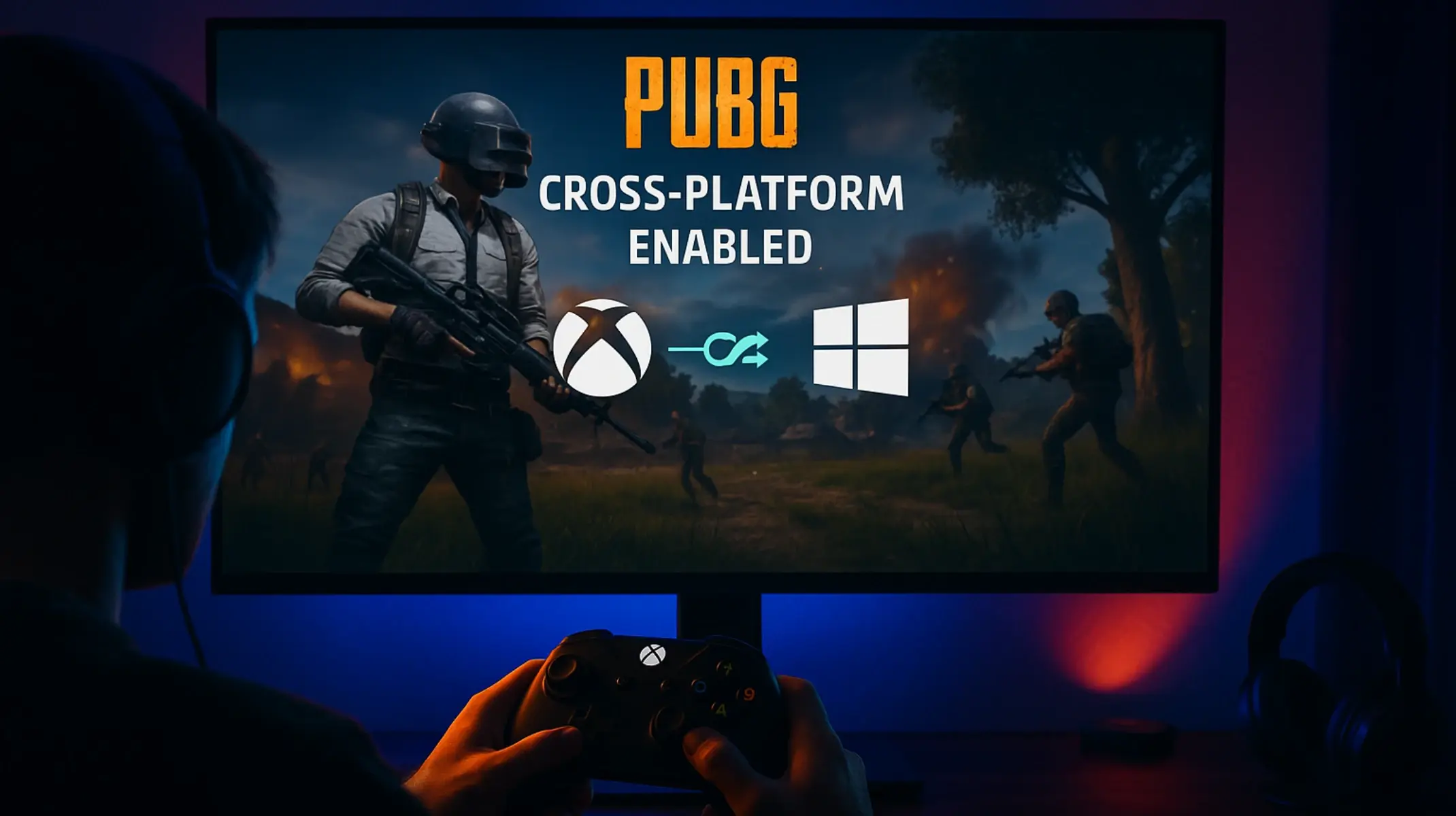

Roblox PS4 PS5 How To Add Play Crossplay With Xbox PC Friends Roblox PS4 PS5 How To Add Play Crossplay With Xbox PC Friends 2 . Is PUBG Cross Platform Between Xbox And PC Cubix Guide 2026 Is PUBG Cross Platform Between Xbox And PC.webp. Cross Platform Pc Xbox RoBlox How To Guide YouTube Hqdefault . Is Roblox Cross Platform PC Mobile Console Crossplay Explained Hunt Showdown Crossplay . 10 Best Cross Platform Games To Play In 2026 Beebom Roblox Cross Platform



Is Roblox Finally Cross Platform In 2026 Updated Is Roblox Cross Generation 300x170 . Is Roblox Cross Platform Roblox Crossplay Explained Roblox4 61c17dc7 3a21 4c05 9c69 . Is ROBLOX Cross Platform In 2026 Latest Xbox.svg. 55 Best Cross Platform Games To Play In 2026 Free Paid Roblox Official Trailer 2020 YouTube 0 02 . Roblox Introduces Cross Platform Play For Xbox One Players Roblox Cross Platform 620x398



Is Roblox Finally Cross Platform In 2026 Updated What Are The Benefits Of Roblox Being Cross Platform 300x170 . Is Roblox Cross Platform Between Xbox And PC Playgama Blog ChatGPT Image Jul 9 2025.webp. Roblox Android Vs IOS Vs Xbox One Vs Xbox Series S X Vs PC Ultra 1687787704 . Is Roblox Cross Platform PC Xbox One Mobile 2023 Is Roblox Cross Platform 1024x576 . Is Roblox Cross Platform Or Crossplay In 2023 PC PS Xbox Roblox Crossplay Between PC PS And Xbox