Have you ever wondered how to become an admin on Roblox and control everything in your game? Honestly, it is a fascinating thought for many players to gain special privileges and influence their virtual worlds. This comprehensive guide will navigate you through the legitimate pathways to obtain admin commands and manage your own Roblox experiences effectively. We will explore the distinctions between official Roblox staff roles and the accessible admin powers within user-created games. Discover how to implement admin scripts, use popular admin model systems, and understand the real limitations involved. Avoid common scams and misleading information by learning the true methods to enhance your gameplay with administrative capabilities. This article serves as your ultimate resource for understanding Roblox admin, offering clear, actionable steps and vital safety tips for aspiring game managers and developers. You will find all the necessary insights to elevate your Roblox presence responsibly and creatively. Get ready to unlock new potentials in your Roblox journey with genuine admin knowledge. Many players search for this exact information every single day. So, this guide is here to help you resolve those questions.
Welcome to the ultimate living FAQ about how to become an admin on Roblox, updated for the latest patches and insights! We know the desire to gain special powers and manage your own game servers is strong, and sometimes the information out there can be a bit, well, confusing or even misleading. This comprehensive guide aims to cut through the noise, providing clear, honest, and actionable answers to all your burning questions about Roblox admin. Whether you're a budding game developer or just curious about how things work, this section is designed to be your go-to resource for legitimate and safe ways to interact with admin commands. Let's get these common questions resolved!
General Admin Questions
Can a normal player become an official Roblox admin or moderator?
No, a normal player cannot become an official Roblox admin or moderator. These roles are exclusive to employees of the Roblox Corporation who work to manage the platform. They are not granted through gameplay, special items, or any 'hacks.' Any offer claiming to give you official admin status is a scam.
What does 'admin' mean in the context of Roblox games?
In Roblox games, 'admin' refers to a set of special commands and privileges that game owners or designated players can use. These commands allow them to control various aspects of the game, such as kicking players, spawning items, or teleporting. It effectively means you have managerial power within that specific game server.
Admin in Your Own Game
How can I get admin commands in my own Roblox game?
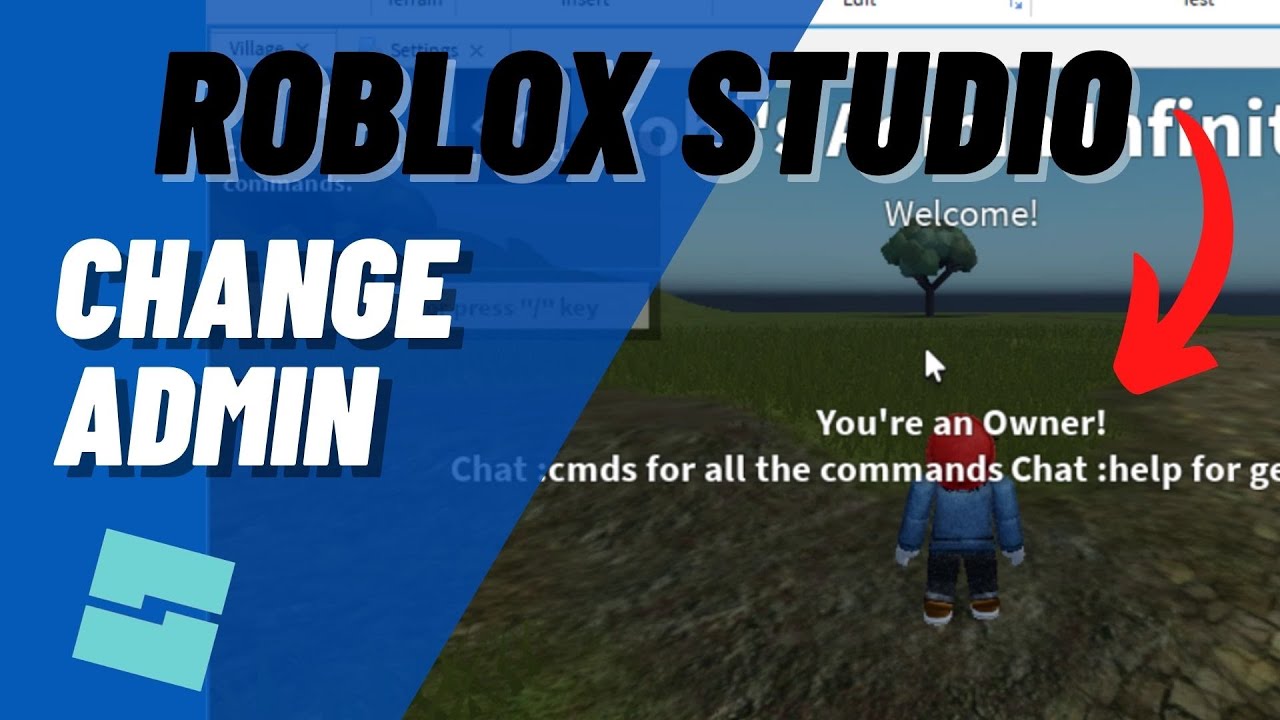
You can get admin commands in your own Roblox game by adding a pre-made admin system from the Roblox Creator Marketplace. Popular choices include 'HD Admin' or 'Kohl's Admin House.' Simply open Roblox Studio, search the Toolbox for these models, and insert them into your game. Follow their instructions for configuration to activate the commands.
Is it safe to use free admin models from the Roblox Creator Marketplace?
Yes, it is generally safe to use popular and well-reviewed free admin models from the Roblox Creator Marketplace. Always check the model's ratings, comments, and creator before inserting it into your game. Avoid models with low ratings or suspicious names to prevent malicious scripts from being added to your experience, ensuring your game's security.
What are some common admin commands I can use?
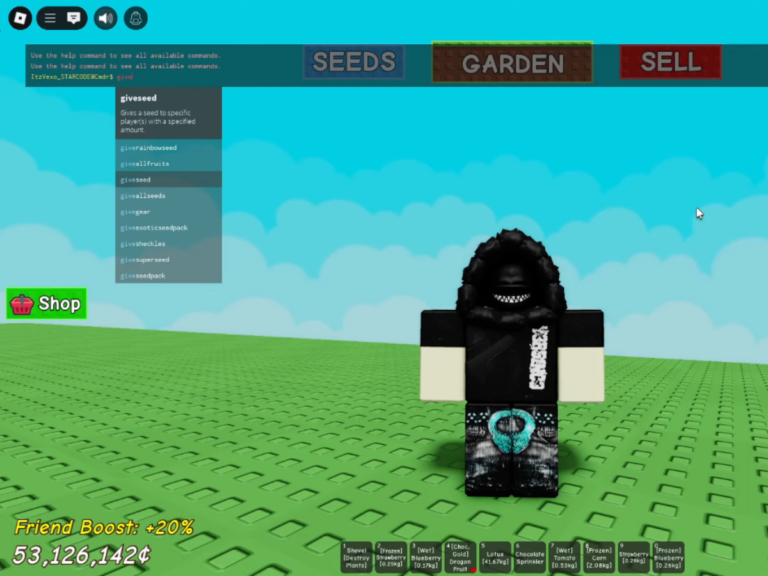
Common admin commands often include ':kick [playername]' to remove a player, ':fly' to fly around, ':teleport [playername]' to instantly move to another player, and ':kill [playername]' to eliminate someone. Most admin systems provide a list of their specific commands, usually by typing a help command like ':cmds' or ':help' in chat.
Safety and Scams
How do I avoid Roblox admin scams?
To avoid Roblox admin scams, never share your password with anyone or any unofficial website claiming to offer 'free admin' or 'Robux.' Be skeptical of games or websites promising unrealistic powers or items. Always enable two-step verification on your account and report any suspicious activities to Roblox. Trust only official sources for information and tools.
Can I get banned for trying to become admin in other players' games?
You cannot directly get banned for simply 'trying' to become admin in other players' games, as you won't succeed in gaining unauthorized admin access. However, attempting to exploit vulnerabilities or using third-party software to gain an unfair advantage or disrupt gameplay can lead to a ban from Roblox. Stick to legitimate methods in your own games.
Still have questions? The most popular related answer is that legitimate admin powers are for your own creations only!
So, like, can you actually become an admin on Roblox, you ask? Honestly, that's a question I hear all the time from players wanting more control in their games. It's a really popular dream, I totally get it.
You see streamers and famous developers doing all sorts of crazy stuff, right? They're flying around, spawning items, and kicking rule-breakers with ease. It certainly looks super cool, and anyone would want that kind of power for themselves.
But let's be super clear about one crucial thing right from the start. Becoming an 'official' Roblox administrator or moderator, like the ones who work for the company, is basically impossible for a regular player. Those roles are for actual employees, you know?
They're not something you can just get by playing games or downloading a special 'admin' file. Anyone telling you otherwise is probably trying to trick you. We've all seen those scams, sadly, and they're definitely something to avoid at all costs.
Understanding Different Types of Roblox Admin Access
When people talk about 'Roblox admin,' it actually means a couple of different things. It’s important to understand these distinctions to avoid confusion, especially when you are searching for information online. One type is what the actual Roblox company staff possess, which is high-level system access.
The other type is the admin power that game creators can implement within their own experiences. This second type is what most players are usually looking for and it is completely achievable. So, let's dive into that part of admin that is actually within your reach, which is pretty exciting for creators.
Official Roblox Staff Admin
Firstly, let's discuss the official Roblox administrators and moderators. These are people who are directly employed by the Roblox Corporation, working to keep the platform safe. Their roles involve system-wide moderation, game development support, and ensuring the platform functions smoothly for everyone.
You cannot simply apply for these roles as a player or acquire them through any in-game actions. Becoming an official Roblox employee requires a formal application process, professional qualifications, and a deep understanding of game development. It is definitely not something a player can just 'get' while playing games.
Admin in Your Own Roblox Game
Now, this is where the fun begins for regular players like us. You absolutely can have admin commands and privileges within games that you create on Roblox. This means you can give yourself special abilities to manage your own servers and influence gameplay. Think of it like being the boss of your own virtual world, which is pretty awesome.
These admin systems are typically implemented using scripts and models available on the Roblox Creator Marketplace. Developers use these tools to create custom experiences where they, or trusted friends, can use commands. It’s a great way to test your games, host events, or just mess around with powers you wouldn't normally have.
How to Get Admin Commands in Your Own Game
Getting admin commands into your personal Roblox game is surprisingly straightforward, honestly. You don't need to be a super pro coder to make it happen, which is great for new creators. Most people use pre-made admin systems from the Creator Marketplace, because they are reliable and easy to set up.
Using Free Admin Models from the Marketplace
The easiest and most common way to get admin powers is by using a free admin model. Systems like 'HD Admin' or 'Kohl's Admin House' are incredibly popular choices among developers. These models come with all the necessary scripts already built in and are trusted by millions of users.
Here's a basic rundown of how you'd typically add one to your game:
Open Roblox Studio and create a new game or open an existing one you own. You'll need to be the game owner, of course.
Go to the 'Toolbox' window, which is usually found under the 'View' tab. This is your go-to spot for finding resources.
Search for a popular admin system, like 'HD Admin' or 'Kohl's Admin'. You'll see tons of options appear.
Click on the model you want and drag it directly into your game's workspace. It usually goes into 'ServerScriptService' or 'StarterPack.'
Follow any specific instructions that come with the admin model. Sometimes you need to move a part or configure a setting in its properties. This is super important.
Publish your game and then join it to test out your new admin commands. You should be able to chat a prefix like ':' or ';' followed by a command.
Always make sure to pick admin models with high ratings and many upvotes. This helps ensure they are safe, working correctly, and don't contain any malicious scripts. It's a good habit to always check, in my opinion.
Configuring Your Admin System
Once you've added an admin system, you'll want to configure it. Most admin models come with a 'Settings' or 'Config' script where you can customize things. You can often change the command prefix, add specific players to a 'VIP' or 'moderator' list, or adjust permission levels. This lets you tailor the admin experience to your game.
I've personally found that taking the time to read through the configuration options really makes a difference. It allows you to block certain commands or only give them to specific friends. This level of customization ensures a safe and enjoyable environment for everyone involved.
Understanding and Using Admin Commands
So, you've got your admin system set up, congratulations! Now comes the fun part: actually using those commands. Each admin system will have its own set of commands, but many common ones are pretty universal. You'll type a prefix (like ';' or ':') followed by the command in the chat. This is how you activate them.
:fly - Allows you to fly around the map, which is super useful for testing.
:kick [playername] - Removes a player from your game, perfect for dealing with rule-breakers.
:teleport [playername] - Moves you to another player's location instantly. So convenient!
:kill [playername] - Instantly eliminates a player. Use with caution, obviously!
:respawn [playername] - Makes a player respawn at their spawn point.
:sit [playername] - Forces a player to sit down, sometimes funny to do.
:speed [playername] [value] - Changes a player's walking speed, great for fun or challenges.
:god [playername] - Makes a player invincible, which is cool for testing things out.
:ban [playername] - Prevents a player from rejoining your game. Use this for serious issues.
Remember, these commands only work in your game if you are the owner or have been given admin privileges within that specific game. They won't work in other people's games unless they've granted you those powers. It’s all about the permissions within each game environment.
Important Safety Tips and Avoiding Scams
This is probably the most crucial part of discussing Roblox admin, honestly. There are so many scams out there preying on players who want to become admin. You've probably seen those pop-ups or YouTube videos promising 'free admin' or 'Roblox admin hacks.' Do not fall for them, ever.
Recognizing Common Scams
Scams often involve websites that ask for your Roblox password, claiming to give you admin. They might promise free Robux or special items in exchange for your login details. Never, ever give out your password to anyone or any unofficial website. Roblox will never ask for your password outside of the official login page.
Other scams include 'admin games' that are actually malicious. These might try to steal your account or install harmful software. Always be cautious of games promising unrealistic admin powers, especially if they are not well-rated or from trusted creators. It's better to be safe than sorry with your account security.
Protecting Your Roblox Account
Here are some quick tips to keep your account secure:
Enable Two-Step Verification (2SV) on your Roblox account. This adds an extra layer of security, which is super important.
Never share your password with anyone, even your best friends. Your password is like your personal key.
Only use trusted, well-reviewed admin models from the Roblox Creator Marketplace. This helps avoid bad scripts.
Be skeptical of any offers for 'free Robux' or 'admin access' that seem too good to be true. They almost always are a scam.
Report any suspicious messages or websites that try to trick you. Helping keep the community safe is everyone's job.
By following these simple safety guidelines, you can enjoy Roblox without falling victim to scams. Your account security should always be your top priority, truly.
The Reality of Being a Roblox Admin
So, the reality of 'being an admin' on Roblox mostly comes down to managing your own game, as we've discussed. While it's not the same as being an official Roblox employee, it gives you significant power within your own creations. This power means you can shape your game exactly how you envision it, which is incredibly rewarding for creators.
It means being able to test features, moderate players, and create unique events that enhance your community's experience. This is the legitimate, fun, and creative side of admin. It's about building and controlling your own little piece of the Roblox metaverse. Does that make sense? What exactly are you trying to achieve with admin powers in your game?
Understanding Roblox admin roles, Legitimate ways to get admin commands, How to use admin scripts in your own game, Identifying and avoiding common admin scams, Official Roblox staff privileges explained, Setting up popular admin systems like HD Admin, The reality of player admin access.
35


How To Be An ADMIN In Roblox Get Admin In Any Roblox Game Become . How To Make An Admin Panel In ROBLOX Studio 2026 YouTube . HOW TO BECOME A ROBLOX ADMIN YouTube . Fun Tips About How To Become An Admin On Roblox How To Become An On Roblox . How To Get ADMIN In ANY ROBLOX GAME 2025 Become Admin In ANY Roblox Hqdefault


How To BECOME AN ADMIN In Roblox YouTube . How To Give Yourself Admin In Your Roblox Game Full Guide YouTube . How To Become Admin In ROBLOX How To Get Admin On ROBLOX YouTube . HOW TO BECOME AN ACTUALLY ADMIN IN ROBLOX TUTORIAL YouTube . How To Become An Admin In ANY ROBLOX GAME YouTube


How To Become Roblox Admin YouTube . How To Become An Admin In ANY ROBLOX GAME YouTube . Timeline How To Become A Roblox Admin YouTube . How To Become An Admin On Roblox Playbite How To Become Admin Roblox . How To Become An Admin In Roblox Playbite How To Become An Admin In Roblox


How To Become An ADMIN In Roblox Roblox Admin YouTube . How Do I Add Admin Commands To Roblox Game YouTube . Becoming A Roblox Admin YouTube . How To BECOME ADMIN In Roblox 2021 Tutorial YouTube . Roblox Studio How To Give Yourself ADMIN In Your Roblox Game Change


How To BECOME ADMIN In ROBLOX How To Get Admin In Any Roblox Game . Admin Roblox . How To Add Admin Commands In Your Roblox Game 2025 YouTube . How To Rank With HD Admin On Roblox 2025 YouTube . HOW TO GET ADMIN IN ALL ROBLOX GAMES FOR FREE HOW TO GET ADMIN ON ANY




Become A Roblox Admin Pro . Admin Roblox NoFilter. How To Get ADMIN COMMANDS In Grow A Garden Roblox QUICK EASY 2025 . What Will Roblox Look Like In 2026 Blog Graphics 26 . 100 Unofficial Roblox Annual 2026 Brand New For 2025 The Iconic SL1500


Definitive Guide To Roblox 2026 Infinity TM 07169 Definitive Guide To Roblox 2026 . How To Get FREE ADMIN On Roblox Working 2025 YouTube . How To Give Yourself Admin In Your Roblox Game 2025 Easy Fix YouTube . How To Become A FULL TIME Admin In Roblox EASY METHOD YouTube . Grow A Garden Admin Console Commands Archives Deltia S Gaming Command 768x576